
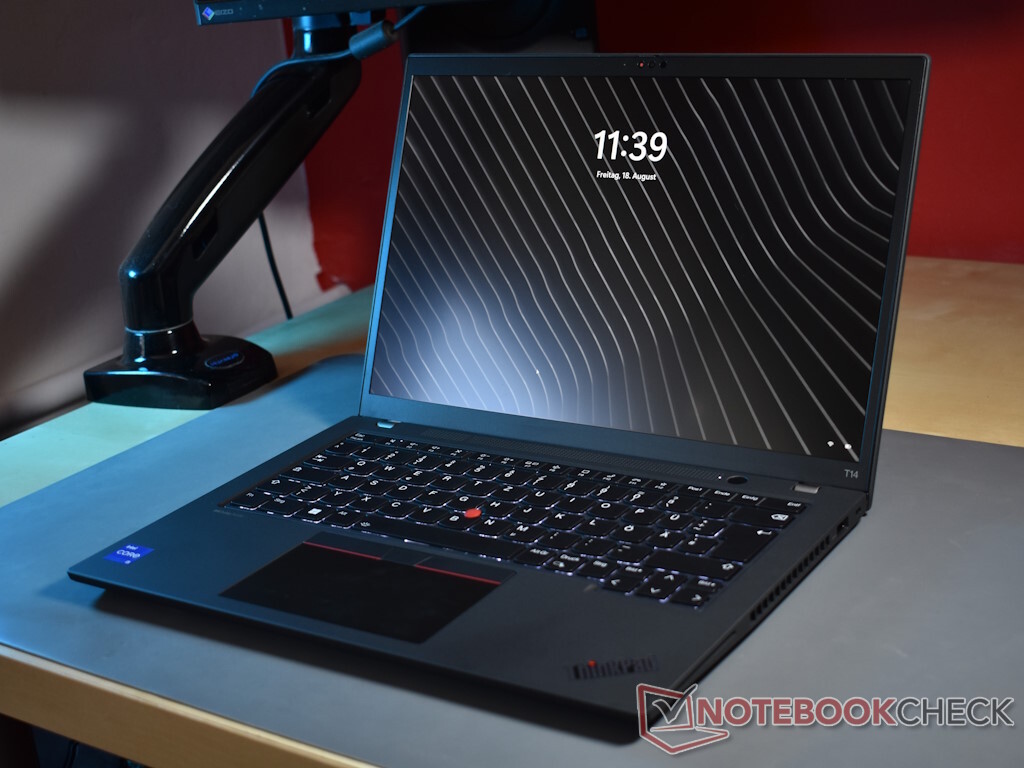
If you would search for “typical ThinkPad”, the ThinkPad T series would be a hot contender. A classic design, slowly changing for many generations and not experimented lightly on by Lenovo. Laptops like the Lenovo ThinkPad T14 Gen 4 have an aura of pragmatism and seriousness.
Today, we test the Intel version of this bread and butter ThinkPad for the office environment. Since Lenovo did not introduce and changes to the design of the ThinkPad T14 G4, we skip the parts about the chassis, the connectivity and the input devices, directly starting with the screen. A full description of these aspects of the laptop can be found in our review of the Lenovo ThinkPad T14 G3 .
New for the Lenovo ThinkPad T14 Gen 4 is a higher resolution webcam, Lenovo upped this specification to 5 Megapixels. This creates a sharper image, which otherwise is not much improved compared with the 1080p webcam of the predecessor. Lenovo does not change the format (16:10) or the screen size (14 inches in diagonal).
The available screen options, and there are many as per usual with ThinkPads, are mostly unchanged too. In comparison with the Lenovo ThinkPad T14 Gen 3 , Lenovo has taken away the WQUXGA (3,840 x 2,160) IPS offering. Instead, customers can now buy the Lenovo ThinkPad T14 Gen 4 Intel with a 2.
8K (2,880 x 1,800) OLED panel. Our review sample uses the variant with is probably the most popular one, the low power screen with WUXGA resolution (1,920 x 1,200). Lenovo sells this display with a brightness value of 400 cd/m².
Our measurements put it at 369 cd/m² on average, less than what is promised. This means that the T14 G4 Intel lacks behind the competition in our comparison – which is not necessarily generally true, as there is some variety when it comes to screen quality. And Lenovo always uses a few different suppliers; the always popular screen lottery.
It is also evident that the reaction times of the screen are not good. Sadly, this often happens with low power LCDs of this kind. The EliteBook 845 G10 performs with its WQXGA screen performs much better in this regard.
Ex factory, the screen has a slightly greenish tint according to Calman measurements, which we were able to fix with a calibration with the X-Rite i1Pro 2 Colorimeter and the i1Profiler. The average Colorchecker deltaE, which is lower if the screen colors are more correct, decreased from 4. 3 to 1.
6 after calibration, a stark difference. The color profile we created is available for download, for free, as always. The screen covers the small sRGB color gamut almost completely, enabling users to do light photo editing with the Lenovo ThinkPad T14 Gen 4.
When it comes to outdoor usage, the Lenovo ThinkPad T14 Gen 4 is usable enough thanks to the combination of the matte screen surface and the brightness value of above 300 cd/m². Still, ThinkPad users should avoid the direct sunlight. Lenovo ThinkPads are known for the configuration variety.
With the ThinkPad T14 Gen 4 Intel, Lenovo makes it hard for buyers to choose, as there are eight (!) CPU options: Intel Core i5-1335U , i5-1345U , i5-1340P , i5-1350P , i7-1355U , i7-1365U , i7-1360P und i7-1370P . The biggest differences: The CPUs with the “P” suffix have more performance cores and a higher power consumption, with the i7-1370P being the only CPU with six performance cores. There are also the differences between vPro and non vPro.
Another differentiator: The i7 models contain the Iris Xe with 96 EUs, while the i5 variants have the 80 EU iGPU. There also is a version of the ThinkPad T14 Gen 4 Intel with the Nvidia GeForce MX550 . As complex as the CPU choice is the choice of RAM.
There are both DDR4-3200 and DDR5-5200 versions of the ThinkPad T14 G4. Both have some soldered RAM, eight gigabyte for the DDR4 models and sixteen for the DDR5 configuration. There is a single SO-DIMM slot in either case, which results in a RAM maximum of 40 (DDR4) to 48 (DDR5) GB.
This is only true for iGPU models though, dGPU models have either 16 or 32 GB of soldered LPDDR5X-6400 memory. The SSD is nice and easy to explain: There is only a single M. 2 2280 slot, connected via PCIe 4.
0. Lenovo uses the Windows settings to control the energy profiles and CPU speed. There are three profiles that regulate the power limits of the processor and thus its power consumption and speed.
The Power Limit 1 can be sustained over a long period, while the Power Limit 2 is for short term performance tasks: With the Intel Core i5-1335U , we review the base variant of the Lenovo ThinkPad T14 Gen 4. This i5 chip of the Raptor Lake generation is part of the U15 series, a combination of two performance cores and eight efficiency cores that is designed for a TDP of 15 W. In the last generations of Intel CPUs, the CPUs could reliably consume much more than the nominal TDP.
The maximum clock rates reach 4. 6 (P cores) and 3. 4 GHz (E cores).
With Hyperthreading, the CPU has 12 threads. For more elaborate comparisons, our CPU comparison list can be used. The CPU performance of the Lenovo ThinkPad T14 Gen 4 Intel is overall disappointing.
All competitors deliver a better result. Admittedly, the Intel processor has an advantage in terms of the single core performance compared with AMD, but when all cores are used, the Intel ThinkPad is left behind, the ThinkPad T14 Gen 3 Intel is faster too. It should be mentioned that the older model used a P28 CPU, which has two more CPU cores.
Also, we would mostly blame Intel for the lower than average performance, as the T14 Gen 4 with a PL2 of 22. 5 W still consumes more than the nominal 15 W TDP of this CPU – the recent Intel CPUs are simply power hungry and do not make much sense in Ultrabook designs. We could not detect any limitation of the CPU performance in battery mode.
In part, the synthetic system performance benchmark mirror the processor tests. In PCMark 10, the Lenovo laptop lacks behind the competition. It is competitive with the AMD models in Crossmark.
We did not detect any slow downs in everyday use. The review device has problems with dropouts in live audio/video due to DPC latency issues. One culprit might be the WiFi driver.
This could be solved via software updates by the manufacturer. The Lenovo ThinkPad T14 G4 uses the same SSD as the 2022 version of the ThinkPad T14, the Kioxia BG5 with a capacity of 512 GB. This SSD is connected via the NVMe PCIe 4.
0 standard and in the M. 2 2280 format. The speed of the SSD is good and perfectly fine in the important 4K categories.
The maximum transfer rates are rather low, but this is not that important in everyday use. For Intel, there has not been much movement in the iGPU area since the year 2021 and Tiger Lake. The Lenovo ThinkPad T14 G4 Intel is equipped with the same Iris Xe w/80 EUs , which we have tested in many other Tiger Lake, Alder Lake and Raptor Lake laptop with an i5 processor.
As an integrated GPU, it does not have its own memory, relying on the main system memory instead – since this always runs in dual channel mode, the performance is not limited despite the free SO DIMM slot. The GPU is still not suited for anything beyond the simplest tasks, and the gaming performance is barely worth mentioning. This point is not that important though for a laptop for business customers.
The picture in terms of noise is mixed, but overall positive. The Lenovo ThinkPad T14 G4 Intel is slightly faster to start up its fan compared with the predecessor ThinkPad T14 G3 , but the overall noise level stays lower. Compared with the HP EliteBook 845 G10 , the ThinkPad laptop is less loud as well.
We did not detect any coil whine with this model. The temperatures of the outer chassis stay relatively low. The maximum temperature of 44.
1 degrees Celsius was measured by us during the Witcher 3 test, while the maximum temperature during the stress test rose to 43 degrees Celsius. The palmrest only gets mildely warm with 28. 5 degrees Celsius.
We did not detect throttling during the stresstest. The upward firing stereo speakers emit a sound of average loudness that lacks behind the HP EliteBook 845 G10 and the ThinkPad X1 Carbon G11 . Base is also missing, making videos and audio no huge pleasure for the ears.
The power consumption of the Lenovo ThinkPad T14 G4 is surprising to us – surprisingly low, as it is lower compared with the ThinkPad T14 G3 AMD. For the 2022 ThinkPad, the AMD version was the more efficient one. It is not surprising on the other hand that the HP laptop and the Dell notebook have the higher power consumption, as both have a higher screen resolution.
67. 2 W is the maximum power consumption under load, which is above the capacity of the 65 W charger. As the power consumption under load quickly recedes, the battery should not be discharged due to this.
The capacity of the internal 52. 5 Wh battery is unchanged, but the battery life is much better compared with last years Intel/Nvidia version of the ThinkPad T14 Gen 3 . In comparison with the Lenovo ThinkPad T14 Gen 3 AMD , the AMD variant flat out wins.
Under low load during the WiFi test, the AMD platform apparently still runs more power efficient. Still: A result of roughly 11 hours for the Intel version of the ThinkPad T14 G4 is nothing to scoff about. It should be equipped more than well enough to last through an average day of work.
When the biggest news of this model is the confusing RAM selection, the case is clear: The update from ThinkPad T14 G3 Intel to ThinkPad T14 G4 Intel is not of world shattering scope. On the “what is new list”, we have the expected update to Intel Raptor Lake, as well as the new RAM options (DDR5 or LPDDR5X for the Nvidia models) and a new 5 Megapixel webcam. Also, there is a new optional OLED screen, but we did not test this one here.
All in all, the Lenovo ThinkPad T14 Gen 4 Intel is more of the same. Since the predecessor was already a very good business laptop, this is not meant with a negative connotation. A low power matte display, wide port selection, very good input devices as well as a long battery life, low temperatures and noise emissions, all in a robust and still mobile chassis, make the ThinkPad laptop a great business laptop.
A user replaceable keyboard is also a feature not often seen on laptops anymore, and the upgradeable WWAN slot is appreciated as well. Rather negative is the performance, but that is only in part on Lenovo – it is more of a Intel problem with their current CPUs. It would be nice though if Lenovo could solder less components and put in two RAM slots in their ThinkPads, like HP does with many current EliteBook laptops.
Another problem of this laptop is the slow screen. Solid: If a dependable office laptop is needed, the Lenovo ThinkPad T14 Gen 4 Intel is a good choice. The performance however is less of a strong point of this particular model.
With the HP EliteBook 845 G10 , the Lenovo ThinkPad T14 Gen 4 has a potent competitor with a CPU performance on a whole different level – though the tested version compromises battery life for that. The T14 G4 Intel also gets internal competition by its own AMD model, the T14 G4 AMD with Ryzen 7040U. This model now also has USB4, taking away an advantage of the Intel variation.
We are very eager to test the AMD model. The Lenovo ThinkPad T14 G4 Intel costs at least €1,515 in Germany. Lenovo US offers it for roughly $900 (09.
09. 2023). .
From: notebookcheck
URL: https://www.notebookcheck.net/Lenovo-ThinkPad-T14-G4-Intel-Laptop-Review-Raptor-Lake-update-for-the-T-series.748145.0.html