
We currently run our gaming benchmarks with these laptops. Clicking on the photos will take you to the respective manufacturer’s website. All other test systems (tower PCs, mini PCs, .
. . ) are listed at the end of the article.
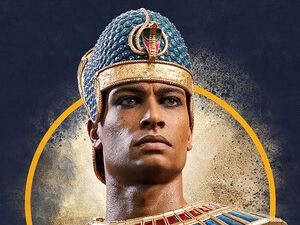
While Total War Pharaoh has been quite well received by the press so far, it has received rather mixed feedback from the community. Our benchmark article primarily focuses on the tech and speed of the new Total War off-shoot. As a result of the desert landscape, Pharaoh’s graphics look a bit dull and dreary in places, but the visuals look quite good in close-ups (especially in combat situations).
Besides the textures and the vegetation, the units and effects (water simulation, etc. ) also look modern, but they don’t blow you away. The graphics menu is also quite impressive.
Starting with the main tab, which is still quite clear in view of there currently being seven options. Here, you can adjust the resolution (scaling), overall quality (there are four presets), picture mode, brightness, and gamma value. The developers have almost gone overboard with the Advanced tab.
Close to 30 detail sliders are an extreme amount for a PC game — especially a strategy one — and require a lot of scrolling if you are not satisfied with the presets. A positive: Changes are applied without having to restart the game, which is very practical. The explanations and, in some cases, comparison pictures for the individual settings also prove to come in quite handy.
Players just have to do without some modern features like FSR and DLSS. The game takes up a moderate 41 GB of storage. Particularly worthy of praise is the fact that the game features an integrated benchmark.
To be more precise, there are three benchmarks because you can choose between a battle, siege and campaign sequence. While the latter runs significantly faster, the first two hardly have anything in common in terms of performance. Our measurements were performed with the siege benchmark, which is the most visually appealing (see video).
The approximately 1. 5-minute sequence shows a tracking shot with various close-ups and distant shots of a settlement or city and the corresponding surrounding area in front of a fancy pyramid backdrop. The frame rate is very dependent on the camera distance and the amount of units or unit activity shown.
In order to be properly prepared for all situations, we recommend at least 40 FPS as an average graphics card benchmark value. Similar to most strategy games, Total War Pharaoh is quite frugal in terms of graphics power. Even with an iGPU on the level of the Radeon 680M , the game can be run in 1,920 x 1,080 pixels and using full detail settings.
It doesn’t have to be a high-end device for a mix of 2,560 x 1,440 pixels and the Ultra preset, either. A GeForce RTX 4050 already cracks the 60 FPS mark. Even 3,840 x 2,160 and maximum settings are super easily managed by certain mid-range chips.
However, a GeForce RTX 4060 would be on the safe side. Since gaming tests are very time-consuming and often restricted by installation or activation limits, we can only provide you with a part of the benchmarks upon publication of this article. Further graphics cards will be added later.
.
From: notebookcheck
URL: https://www.notebookcheck.net/Total-War-Pharaoh-review-Laptop-and-desktop-benchmarks.760845.0.html