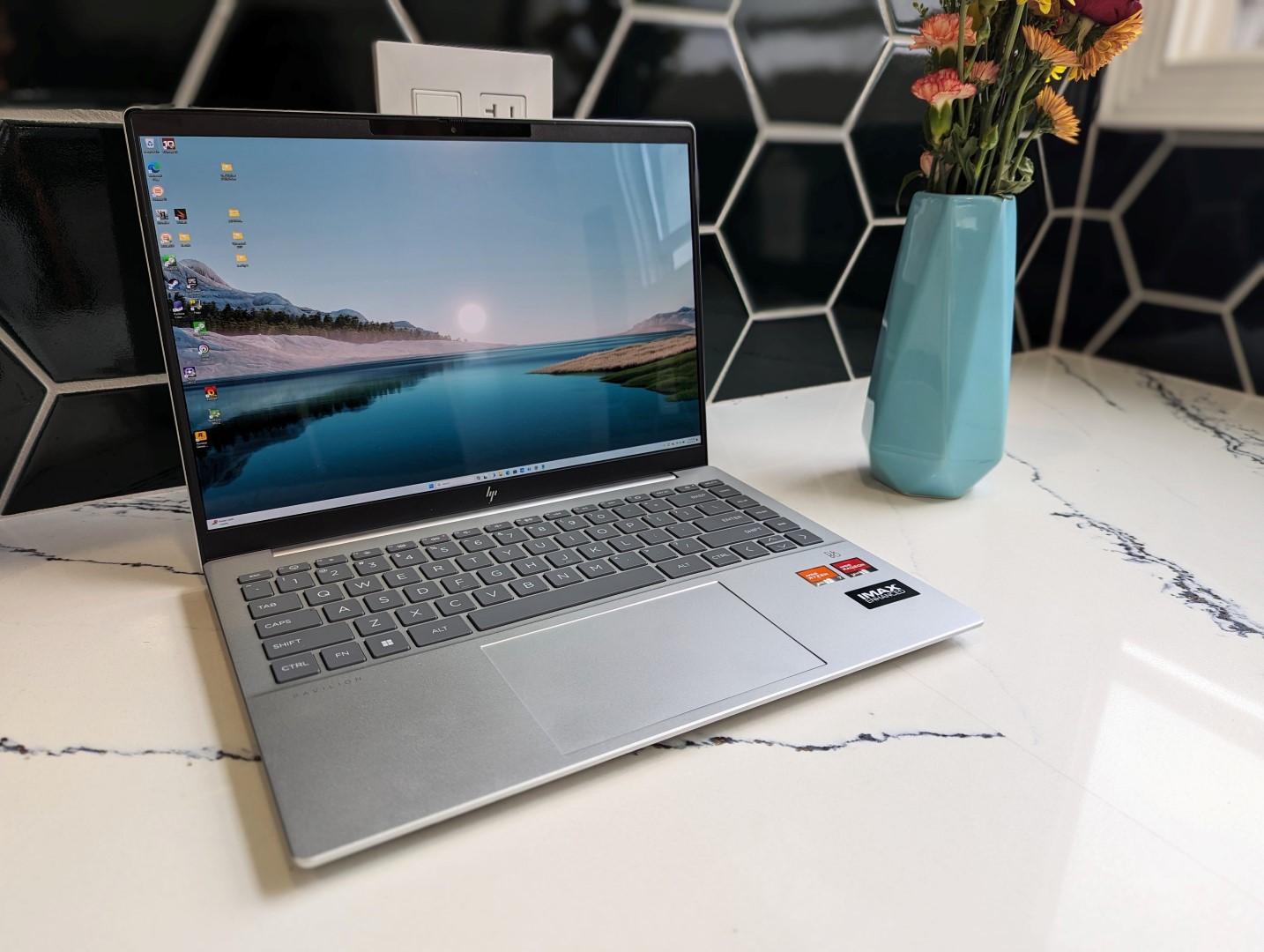

The 2023 AMD Pavilion Plus 14 is this year’s update to the 2022 Intel model with brand new internals and several exterior changes. The model should not be confused with the standard Pavilion 14 which incorporates comparatively slower processors and lower-end options. Our specific review unit is the highest-end configuration with the Zen 4 Ryzen 7 7840U CPU, 16 GB of soldered RAM, and 120 Hz 1800p OLED display for approximately $920 USD retail.
Lesser SKUs start with the Ryzen 5 7540U and 1200p IPS display for $550, but all options include 16 GB of RAM and only integrated graphics. Alternatives to the Pavilion Plus 14 include other budget multimedia laptops like the Asus VivoBook 14 series , Lenovo IdeaPad 14 series , Dell Inspiron 14 series , or the Acer Swift 3 14 . More HP reviews: There are several visual updates on this year’s design.
The first and most obvious is the color of the keyboard keys which are now gray instead of silver. This change directly addresses the poor contrast of the white keyboard backlight against the silver keys on older Pavilion models to make each key much more visible. Secondly, the indentation along the front edge of the laptop has been removed for better or worse.
The indentation allows for a stronger finger grip to open the lid and so its removal is unfortunate to see. And lastly, the screws and speaker grilles on the bottom panel have been rearranged to reflect the numerous internal changes. Chassis size, weight, and rigidity are essentially identical to last year’s model as most of the exterior changes are minor in scope.
Though it’s not out to win any awards in the thinness category, users who are willing to spend a bit more can find more portable 14-inch solutions like the Acer Swift 3 SF314 or Asus ZenBook 14 . The system features all the ports on last year’s model except for the MicroSD slot. The removal of the card reader could be a cut corner to reduce manufacturing costs or to simply encourage owners to try HP QuickDrop instead.
We were hoping to see USB4 support due to the Zen 4 CPU, but that is unfortunately not the case. You’ll have to spend a bit more on an HP Envy or Spectre model for such a feature. Users can choose between the MediaTek MT7921 or MT7922 for Wi-Fi 6 or Wi-Fi 6E support, respectively.
Transfer rates are excellent and reliable on our test unit when paired to our Wi-Fi 6E access point. Though HP advertises a 5 MP webcam, the Windows camera app only allows users to select up to 3. 7 MP.
Both IR and a physical privacy shutter are included on all configurations. The bottom panel is secured by just four Phillips screws for easy servicing. In fact, HP is one of the only major manufacturers to publish full disassembly videos for many of its laptops including our Pavilion Plus 14.
This is something we hope to see from more makers especially when it comes to larger and more complicated models. There are several design differences between the 2022 and 2023 models as shown by the comparison images below. Most notably, the WLAN, SSD, and soldered RAM modules have all been repositioned and the battery is now larger as well.
There is nonetheless not much to upgrade beyond the single M. 2 PCIe4 x4 SSD slot and WLAN module much like on the previous design. There are no extras in the box other than the AC adapter and paperwork.
The usual one-year limited manufacturer warranty applies if purchased in the US. While key feedback remains unchanged for a familiar typing experience, HP has heeded our calls about the overly bright silver keycaps of previous generation models that made it difficult to see the printing on each key. For 2023, the Natural Silver color option now ships with gray keycaps for easier readability while the Tranquil Pink and Moonlight Blue options will still have pink and blue keycaps, respectively.
Clickpad size remains the same as before at 12. 5 x 8 cm for a similar feel. Clatter when clicking is satisfyingly loud, but travel is very shallow and with relatively weak feedback.
For a clickpad this large, we wouldn’t mind giving up some of that space for dedicated mouse buttons like on some ZBook models for easier multi-touch inputs. Three display options are available as described below. Our specific unit includes the bolded option.
The 2023 model has upgraded the refresh rate from 90 Hz fixed on the previous model to 120 Hz fixed or 120 Hz dynamic. The dynamic setting can be as low as 60 Hz when no motion is detected to save on power consumption much like the OLED displays on most newer smartphones. Otherwise, other aspects like resolution, colors, and brightness remain unchanged.
Image quality is excellent as to be expected from OLED. We recommend avoiding the lowest-end 1200p option due to its very narrow 45% NTSC color range. Such panels are bottom-of-the-barrel with their washed out colors and poorer contrast ratio.
The display is already decently calibrated out of the box which is surprising to see on a budget model from the Pavilion series. Average grayscale and color deltaE values are only 1. 1 and 2.
23, respectively, to be fit for most amateur graphics editing purposes. Flickering is present on all brightness levels similar to most other OLED panels. The 504 Hz frequency is relatively consistent across all brightness levels.
Outdoor visibility is no better or worse than on last year’s model since maximum brightness hasn’t increased. Glare is essentially inevitable from the super-glossy OLED overlay. Note that while the IPS configurations are matte, they are also dimmer at 300 nits instead of 400 nits.
We set Windows to Performance mode prior to running the benchmarks below. Note that the MyHP software Thermal Setting will remain on “Balanced” mode even if Windows is set to Performance mode which HP says is intentional for the Pavilion series. The Ryzen 7 7840U is the fastest Zen 4 U-series CPU at the time of publishing.
It performs within 5 percent of the Core i7-12700H in last year’s Pavilion Plus 14 while demanding just a fraction of the power. Opting for the lesser SKU with the Ryzen 5 7530U will impact multi-thread performance by about 30 percent. PCMark results are generally higher than what we recorded on last year’s model particularly in the Productivity and Digital Content Creation subtests which favor the faster SSD and GPU performances of our AMD configuration, respectively.
The Essentials subtest still favors the Intel Pavilion, however, likely due to its faster initial Turbo Boost potential. LatencyMon reveals DPC issues when opening multiple tabs of our homepage. Thankfully, 4K video playback at 60 FPS is excellent with just one dropped frame recorded which is something we can’t say for a few other recent AMD PCs .
Our unit ships with a 1 TB Western Digital SN810 PCIe4 NVMe SSD which is an upper midrange drive capable of sequential read and write rates of up to 6600 MB/s and 5000 MB/s, respectively. Unfortunately, the drive in the Pavilion Plus 14 would throttle to as low as 310 MB/s after just a few minutes of stress as shown by our DiskSpd Read loop results below. These results would not change even after repeat tests to suggest poor SSD heat dissipation.
Thus, the maximum transfer rates of the SSD are only attainable for just one or two minutes at most before throttling kicks in. The Lenovo ThinkPad X1 Carbon G11 , which comes with the same WD SN810 SSD, would suffer from similar performance issues as the drive in our HP. The Radeon 780M is mostly a rebranded Radeon 680M, but it’s still a significant leap over Intel’s current fastest integrated Iris Xe 96 EUs solution.
In this case, 3DMark scores are 40 to 60 percent higher than the Iris Xe 96 EUs in the 2022 Pavilion Plus 14. Graphics performance is nonetheless 10 to 15 percent slower than the average laptop in our database with the same Radeon 780M GPU. This can be attributed to the relatively slow 3200 MHz RAM in the Pavilion Plus 14 as most other laptops come with 4800 MHz or faster memory.
Performance is not significantly reduced if running on Battery Power or Balanced Mode as shown by our 3DMark 11 results table below. If you must game on integrated graphics, then you can’t do better than the Radeon 780M at the moment. It’s powerful enough to run less demanding games like DOTA 2 at a steady 60 FPS and even newer titles at 1080p and 30 FPS similar to the Playstation 4.
Fan noise is about the same as on the 2022 model albeit with some differences in pulsing behavior. For example, our AMD system may reach higher RPMs at a faster rate when running Witcher 3 , but the older Intel model is capable of reaching even louder RPMs when stressed to higher CPU utilization levels. In either case, our AMD unit is generally quieter than other 14-inch laptops at around 26.
4 dB(A) with only occasional pulses to 33. 4 d(B) when running more typical loads like browsers or video streams. Surface temperatures are warmer on the right half of the laptop than the left much like on last year’s Core H-series model.
However, hot spots are slightly cooler this time around by a few degrees C likely due to our less demanding Ryzen U-series CPU. Other models like the thinner Lenovo Yoga Slim 7 14 can reach noticeably warmer temperatures of up to 44 C on the keyboard or 56 C on the bottom. When initiating Prime95 stress, the CPU would boost to 3.
4 GHz and 30 W for only the first 10 seconds before dropping and stabilizing at 2. 8 GHz, 25 W, and 80 C. Repeating this same test on last year’s model with the Core i7-12700H would result in a noticeably warmer core temperature of 89 C in comparison.
A fixed 30 W would be preferable for maximum sustained performance but that is usually not the case for most laptops running on U-series CPUs. Running Witcher 3 to represent typical gaming loads would also see cooler core temperatures. Our AMD CPU would stabilize at 77 C compared to 84 C on the 2022 Intel model despite the aforementioned performance advantages with AMD.
Power consumption is where the system truly shines. Our AMD unit is able to complete the CineBench R15 Multi-Thread benchmark at around the same time as last year’s Intel unit while consuming just half the power. Similarly, running Witcher 3 on the AMD or Intel model would consume around 42 W each even though frames rates on the AMD model would be 60 to 100 percent higher.
The performance-per-watt advantages that Zen 4 provides over 12th gen Intel Core H cannot be understated. We’re able to measure a temporary maximum consumption of 51 W from the small (~8. 8 x 4.
9 x 2. 8 cm) 65 W USB-C AC adapter when the CPU is at 100 percent utilization. HP has increased the battery capacity from 51 Wh on last year’s Pavilion Plus 14 to 68 Wh on this newer AMD version.
When combined with the much more efficient Ryzen U-series CPU, battery life has increased almost two-fold from 4. 5 hours to 8. 5 hours of real-world WLAN browsing.
Battery charge rate, however, is relatively slow. Charging from empty to full capacity takes almost 2. 5 hours compared to 1.
5 hours on most other Ultrabooks. Expensive laptops are easy to recommend; it’s the cheap ones that are trickier because of cut corners and under-the-hood cost-saving measures. The Pavilion Plus 14 is one of the best 14-inch laptops we’ve seen retailing for under $1000 USD.
The full-fledged Zen 4 Ryzen 7 CPU and 120 Hz OLED display help make the model well-rounded for multimedia, gaming, editing, traveling, word processing, and graphics work to satisfy the vast majority of casual home users or students on tight budgets. The Ryzen 7 CPU in particular is responsible for many of the advantages on the HP system. Its performance-per-watt is so much greater than the Core i7-12700H in last year’s model that our AMD system runs both cooler and longer while providing faster gaming performance.
The differences aren’t even minor as they can be quite significant by several hours or dozens of frames per second. The latest Pavilion Plus 14 is proficient on all fronts due in no small part to the Zen 4 CPU and 1800p OLED display. Setbacks include the lack of USB4, the removal of the MicroSD reader, and the slow 3200 MHz of soldered RAM which slightly impacts GPU performance.
The motherboard houses two fans, but only one is active in the Ryzen 7 configuration leaving significant dead space that could have been better utilized for extra features or potentially better cooling. Meanwhile, users who need discrete performance will have to look at the competing Asus VivoBook 14X or Dell Inspiron 14 Plus instead. If none of these bother you, however, then the Pavilion Plus 14 deserves a slot in your shopping cart.
HP is now shipping the 2023 Pavilion Plus 14 in multiple configuration starting at $550 USD for the Ryzen 5/1200p configuration up to $920 for our configuration as reviewed. .
From: notebookcheck
URL: https://www.notebookcheck.net/HP-Pavilion-Plus-14-Ryzen-7-laptop-review-Changes-in-all-the-right-places.765524.0.html