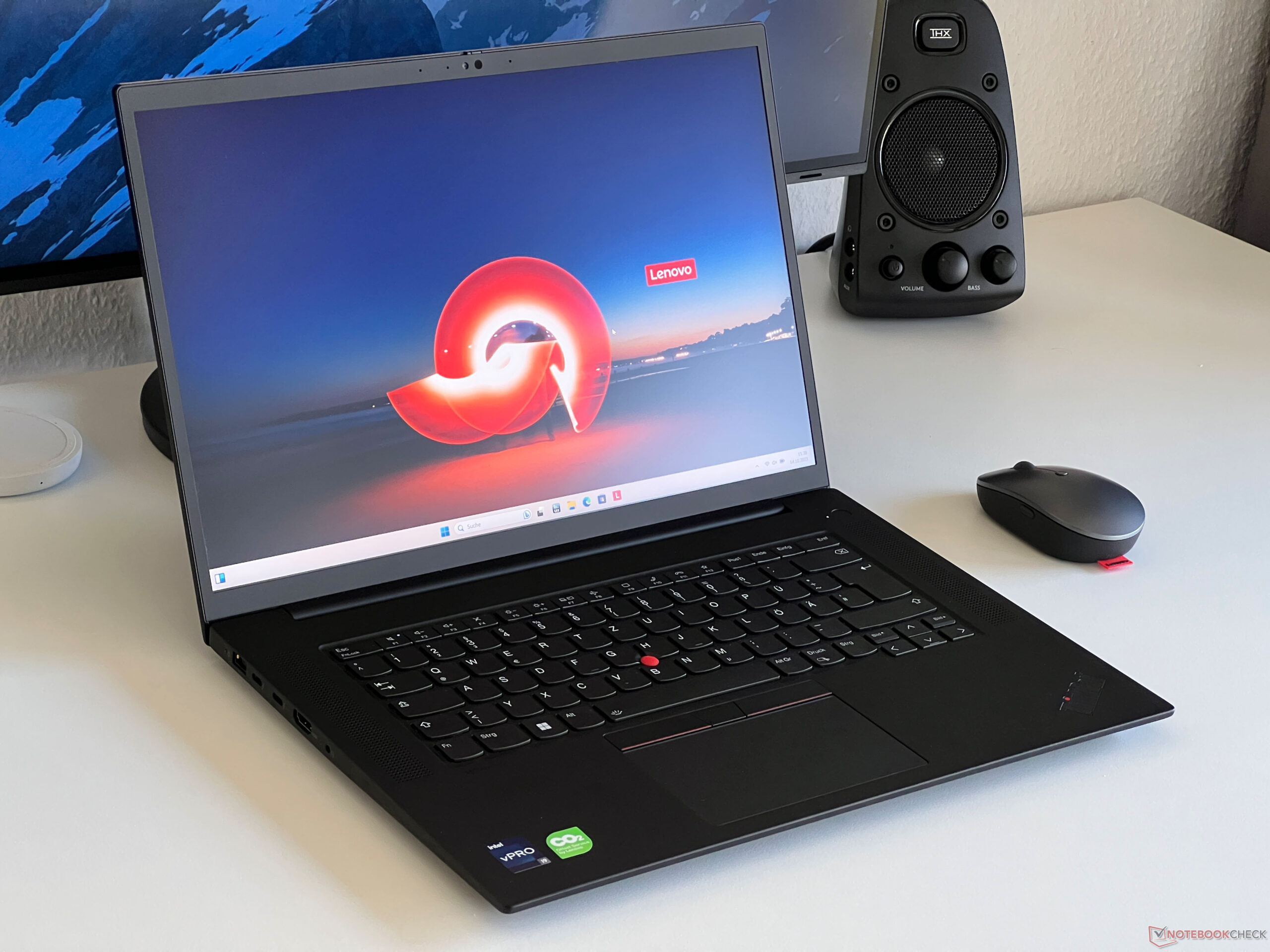

We recently reviewed the ThinkPad P1 G6 with the Core i9-13900H CPU, RTX 2000 GPU, and 1600p IPS display and found it to be a very competitive 16-inch workstation. This time, we’re ready to check out a second configuration with the Core i7-13800H, GeForce RTX 4080 GPU, and 2400p OLED display to see how the different specifications might impact performance, battery life, internal hardware, and more. Note that the ThinkPad P1 16 series should not be confused with the ThinkPad P16 series which consists a larger and heavier models with faster Core HX-series options.
More Lenovo reviews: While receive rates are steady, transmit rates tend to be slower and with more fluctuations than expected even after repeat testing. The unit has been configured with a 5 MP 1440p webcam compared to the 2 MP 1080p webcam on our original RTX 2000-powered review for a sharper picture. IR and a physical shutter come standard.
When compared to the ThinkPad P1 G6 RTX 2000 configuration, the RTX 4080 configuration integrates an expanded cooling solution with a larger fan in order to accommodate the more demanding GPU. Unfortunately, this comes at the cost of two expansion slots as shown by the comparison images below. There are no included extras in the box other than the usual AC adapter and paperwork.
Disappointingly, the standard limited warranty is only 12 months if purchased in the US compared to 36 months for many Dell Precision models. The 4K OLED panel offers superior colors, faster response times, touchscreen functionality, and a denser native resolution than the 2K IPS panel on our earlier RTX 2000-powered configuration. However, these benefits come at the cost of a slower native refresh rate of only 60 Hz and a dimmer maximum brightness as shown by our table below.
Thus, the IPS panel might be preferable depending on your application. It’s too bad that Lenovo doesn’t offer 120 Hz OLED options a la the Vivobook Pro 16X . The display comes pre-calibrated with average grayscale and color deltaE values of just 1.
4 and 1. 16, respectively. Further calibration is therefore not necessary for most users.
Pulse-width modulation is present on all brightness levels as to be expected from an OLED panel. We’re able to detect a frequency of 239 Hz from 0 to 57 percent brightness and 60 Hz from 58 to 100 percent brightness. We set Windows to Performance mode prior to running the benchmarks below.
Lenovo Vantage does not include any specialized power profiles to keep things simple. Only Optimus 1. 0 is supported with no Advanced Optimus or MUX options which is a bit disappointing considering the high-end RTX 4080 GPU.
The Core i7-13800H in our unit is only 3 to 5 percent slower than the Core i9-13900H configuration even after accounting for any throttling behavior. This difference is essentially negligible for the vast majority of users. Buyers hunting for more tangible performance boosts should instead consider the ThinkPad P16 series which ships with Core HX-series CPUs.
PCMark scores are comparable if not slightly faster than the RTX 2000-powered ThinkPad P1 G6 configuration due mostly to the faster RTX 4080 GPU. Note that memory performance is slow since our unit has been configured with just one RAM module in single-channel mode instead of two. LatencyMon reveals DPC issues when opening multiple browser tabs of our homepage and 75 dropped frames when playing a one-minute long 4K60 video.
The latter is particularly disappointing given the price and professional aspect of the model. It also suggests driver issues or poor handling of background applications that could interrupt the window in focus. Our test unit ships with the Kioxia XG8 KXG8AZNV1T02 instead of the SK Hynix PC711 on our original ThinkPad P1 G6.
Overall performance is generally slower particularly when writing data, but read rates are nonetheless excellent with just slight throttling after about 3 minutes of stress. Note that certain configurations of the ThinkPad P1 G6 can support more than one internal M. 2 SSD.
However, this particular review configuration can only support one drive. Nvidia Control Panel lists a maximum graphics power of 105 W. In reality, however, we’re only able to reach a maximum of 80 W according to GPU-Z.
Overall performance is subsequently 15 to 20 percent slower than the average laptop in our database with the same mobile GeForce RTX 4080 GPU as this particular GPU is more commonly running at higher power ceilings. Regardless, graphics performance is still well ahead of the RTX 2000 in most benchmarks save for the Specviewperf Siemens NX and Medical tests. For faster performance, Lenovo offers the RTX 5000 at the highest-end configuration.
Running on Balanced mode instead of Performance mode impacts GPU performance while the CPU remains largely unaffected as shown by our Fire Strike results in the table below. Frame rates when idling on Witcher 3 would be steady throughout save for one instance where performance dipped to the 90 FPS range as shown by the graph below. The sudden drop is likely due to poor handling of background applications.
Fan noise is louder than on the RTX 2000-powered configuration when running demanding loads. When running Witcher 3, for example, fan noise would range between 47 and 55 dB(A) compared to just 41 to 48 dB(A) on the lesser configuration. Otherwise, the system does an excellent job at remaining quiet for long periods when running simpler processes like browsers or video streaming.
Surface temperatures can be quite warm even when simply idling on desktop since the fans tend to be lethargic until much higher loads are introduced. Hot spots on the keyboard and bottom surfaces can 45 C and 49 C, respectively, compared to 51 C and 32 C on the competing Dell Precision 5680 . When under Prime95 stress, the CPU would boost to 4.
1 GHz and 111 W for only the first couple of seconds before falling and stabilizing at 75 W and the 2. 5 to 3. 1 GHz range.
Most notably, core temperature would stabilize at a very warm 97 C to suggest that the processor is pushing the cooling solution to its limits in order to maximize Turbo Boost potential. Graphics performance is reduced if running on Balanced mode instead of Performance mode as mentioned above. For example, the GPU would stabilize at 1890 MHz, 79 W, and 77 C when running Witcher 3 on Performance mode compared to just 1470 MHz, 52 W, and 67 C when on Balanced mode.
Our test unit is generally more demanding than the lesser RTX 2000-powered configuration which explains the shorter battery life in our next section. Running Witcher 3 to represent demanding loads, for example, would consume 37 percent more power. We’re able to record a maximum draw of 197 W from the medium-sized (~17 x 8.
8 x 2. 5 cm) 230 W AC adapter when the CPU and GPU are each at 100 percent utilization. Runtimes are significantly shorter than on the RTX 2000-powered configuration by over half due to the more demanding OLED display and faster GPU.
We’re only able to clock in just over 4 hours of real-world WLAN browsing even when on the Balanced power profile. The ThinkPad P1 G6 offers a wide range of configuration levels including IPS, OLED, Core i7, Core i9, and GeForce RTX or RTX Ada GPU options. Based on our time with two very different configurations, the two processor options (Core i7-13800H vs.
Core i9-13900H) have minimal differences between them meaning it would be wise to go with the cheaper Core i7 and then spend the extra dollars elsewhere. As for the display, it’s a toss up between 1600p IPS and 2400p OLED. The former offers a faster native refresh rate and a brighter maximum brightness while the latter offers touchscreen, DCI-P3 colors, minimal ghosting, and HDR400 support.
Future models may incorporate 120 Hz OLED panels which are becoming more common on models like the Asus VivoBook . The ThinkPad P1 G6 offers high performance-per-volume albeit at the cost of battery life, louder fans, and limited upgrades when compared to its lesser configurations. Configuring faster GPU options such as the RTX 5000 or our RTX 4080 instead of the RTX 2000 entails some disadvantages.
Internal storage upgrades become more limited, fan noise becomes louder under load, and battery life takes a noticeable hit. We also have to mention the frame rate stutters when video streaming and the relatively low 80 W TGP ceiling. Even so, the ThinkPad P1 G6 is one of the fastest mobile workstations of its size and weight.
For something reasonably faster, you’d have to consider the chunkier ThinkPad P16 series instead. Lenovo is now shipping the ThinkPad P1 G6 in multiple configurations starting at $1680 USD for the base Core i7/RTX A1000/1200p IPS configuration up to $2700 and up if configured with the RTX 4080. .
From: notebookcheck
URL: https://www.notebookcheck.net/Lenovo-ThinkPad-P1-G6-review-80-W-GeForce-RTX-4080-for-ultrathin-workstation.778650.0.html