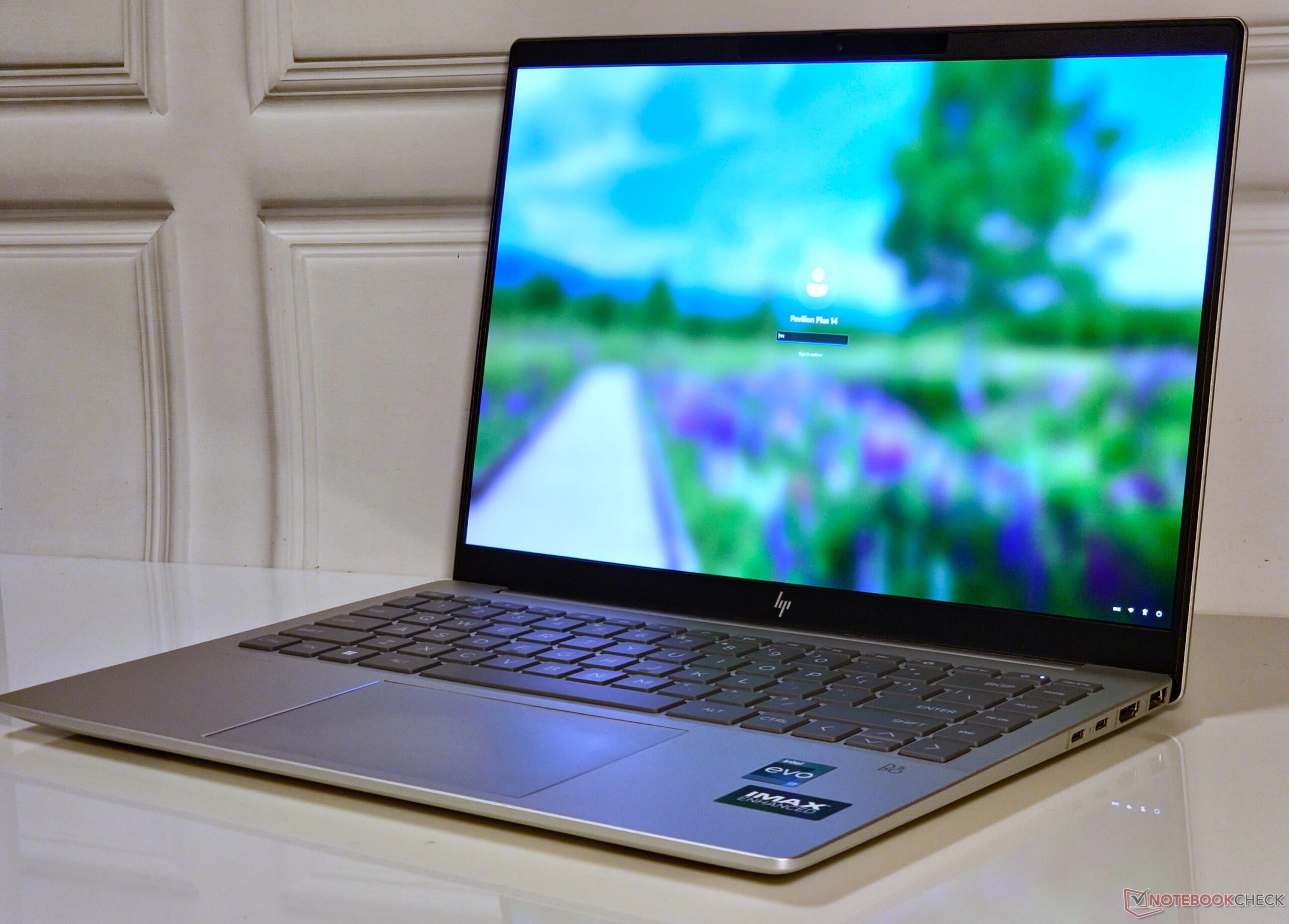

HP seem to have hit the right notes with its newly launched Pavilion Plus lineup. We’ve previously reviewed the AMD Ryzen 7 7840U -powered Pavilion Plus 14 and now turn our attention towards its Intel-based sibling. The current HP Pavilion Plus 14 configuration is based on the Intel Core i7-1355U and comes with 16 GB LPDDR5x memory and 1 TB of PCIe NVMe storage.
The two Pavilion Plus 14 models share numerous attributes, including the “IMAX Enhanced” 2. 8K 120 Hz HDR OLED display. Therefore, we will focus mainly on the performance differences between the two versions in this review.
Our configuration officially retails for ₹99,999 in India but can be had for about ₹90,000 with various bank and card offers. In the US, this SKU is currently retailing at a discounted price of $1,019. 99 on the official HP store.
Aspects such as the laptop’s full metal chassis, maintenance, and input devices match the previously reviewed AMD model. Check our prior coverage for more details on those fronts. Port selection on the Pavilion Plus 14 is decent.
The Intel variant one-ups its AMD cousin by offering a Thunderbolt 4 port while buyers of the latter have to make do with just a USB 3. 2 Type-C port in lieu. There is no dedicated DC-in, so one of the Type-C ports will be taken up by the power adapter when plugged in.
Being an Intel Evo design, the Pavilion Plus 14 naturally comes with the Intel Wi-Fi 6E AX211 WLAN card. This lends it a noticeable performance advantage over the MediaTek Wi-Fi 6E MT7922 used in the AMD SKU, particularly in iPerf3 receive tests when paired with our reference Asus ROG Rapture GT-AXE11000 router. The 6 GHz band provides only marginal throughput gains, but we noticed more stable transmission speeds here without the performance dips seen in the 5 GHz band.
Unlike the AMD version, we had no qualms in snapping pictures at 5 MP with our unit using the default Windows Camera app. Image quality is a big improvement compared to most laptops with pedestrian 720p or 1080p webcams. Our test chart shows ample details and adequate sharpness, but color accuracy leaves a lot to be desired.
A manual physical webcam shutter allows for added privacy. The bundled HP Enhanced Camera and HP Enhanced Lighting apps offer even more quality-of-life features for video conferencing. The Pavilion Plus 14 comes with a TPM 2.
0 module in line with Windows 11’s security requirements. An IR camera allows for Windows Hello-based facial recognition. Unfortunately, the laptop skimps on a Kensington lock slot.
The standard packaging comes with a 65 W power adapter and the usual paperwork sans any accessories. HP offers a standard one-year warranty for the Pavilion Plus 14 in India. Buyers can also opt for eligible HP Post Warranty Care Packs and accidental damage protection ranging from one year (₹10,763) to three years (up to ₹14,459 for next business day onsite), within 90 days of product purchase.
The Core i7-powered Pavilion Plus 14 flaunts a 2880 x 1800 14-inch OLED panel with a 120 Hz refresh rate and 500 nits peak HDR brightness. This lends itself to a subjectively immersive viewing experience and a taller aspect ratio that aims to reflect the laptop’s “IMAX Enhanced” branding. Those opting for the Core i5 model can choose from FHD+ or QHD+ resolution options.
HP claims 400 nits of peak SDR brightness, and our testing validated that figure at 392 nits maximum. HDR fared even better, clocking an above-spec 606 nits peak luminance. The panel shows an excellent 97% brightness uniformity and a near-infinite contrast ratio.
There is no backlight bleed by virtue of this being an OLED panel. The display covers nearly 100% of the sRGB and Display P3 color spaces along with a very good 92. 1% Adobe RGB coverage.
This makes it highly amenable for both media editing and consumption. Out-of-the-box color reproduction is decent with average Grayscale and ColorChecker Delta E 2000 values around 2. 3 and 2.
03, respectively. Our calibration routine using the X-Rite i1Basic Pro 3 spectrophotometer and Calman Ultimate software from Portrait Displays further improves these corresponding values to 0. 8 and 1.
6. Our calibrated ICC file can be downloaded from the link above. Response times are decent but could have been better.
We had to manually estimate the 50% grey to 80% grey response times as the pattern showed an unusually steep fall. At a refresh rate of 120 Hz, the PWM can oscillate between 120 Hz or multiples thereof up to 480 Hz. The PWM drops to 60 Hz at the corresponding refresh rate.
In any case, the PWM frequency is on the lower side and can pose problems to those sensitive to it. Check out our primer ” Why PWM is such a headache ” for more information. An overview of measured PWM across reviewed devices can be found in our PWM Ranking table .
The glossy display can be irksome to view in direct sunlight. Viewing angles are quite stable without perceivable brightness or color loss at the extremes. HP offers the Pavilion Plus 14 in both Core i5-1335U and Core i7-1355U options.
The myHP app only offers a Balanced power profile, so we used Windows power management set to Best Performance for all benchmarks. The Core i7-1355U is a 10-core (2P+8E) 12-thread part that operates at a PL1 of 25 W and a PL2 of 41 W in this device. The Pavilion Plus 14 Core i7 lags considerably behind its AMD Ryzen 7 7840U-powered cousin in overall CPU benchmarks.
This is on expected lines since the Core i7-1355U offers only two P-cores with hyperthreading while the rest are E-cores. This results in a considerable hit to multi-core performance against the 8C/16T Ryzen 7 7840U, although the Core i7-1355U’s single-core scores are generally on par or slightly ahead depending on the benchmark. Cumulatively, our review sample trails by 8% compared to average Core i7-1355U scores.
The lower PL2 also puts the Pavilion Plus 14 at a slight disadvantage, especially in multi-core, versus the Asus ExpertBook B9 that uses the same chip but at somewhat higher power limits. A look at various CPU parameters while running the Cinebench R15 multi-core loop shows that the Core i7-1355U is able to hit a peak boost of 3. 83 GHz while utilizing 42.
2 W. The CPU coasts at an average of 2 GHz at 16 W during the run. The Pavilion Plus 14 defaults to Best Performance when plugged in and to the Balanced profile on battery power.
For some reason, the Core i7-1355U presents peculiar results with Cinebench on battery where it seems to favor the Balanced mode compared to the Best Performance mode. Accordingly, while Cinebench R20 single-core performance expectedly drops by ~24%, the multi-core score interestingly shows a 3% increase on battery power. We observed the same anomalous result even after multiple runs and with Cinebench R23 as well.
Check out our dedicated Intel Core i7-1355U page for more information and performance comparisons. The AMD-based Pavilion Plus 14 takes a 19% lead over the Core i7 version in total PCMark 10 scores. However, both devices are virtually tied in cumulative CrossMark tests.
Overall, the Pavilion Plus 14 poses no hiccups for daily computing and web browsing needs. DPC latency is better than some of the Pavilion Plus 14’s competitors including the AMD variant, the Lenovo ThinkPad T14s , and the Huawei MateBook X Pro but is still on the higher side. Our DPC Latency Ranking page provides an overview of measured LatencyMon readings across reviewed devices.
Our Pavilion Plus 14 unit came equipped with an SK Hynix PC801 PCIe Gen4 NVMe SSD. Cumulative performance is about 26% slower than the average results recorded for this drive but is right on the heels of the WDC PC SN810 used in the AMD version of this laptop. The drive performance is relatively stable, but we observed a significant speed drop after 20 runs in our DiskSpd read loop test at a queue depth of 8.
There is no scope for further internal storage expansion. More storage benchmarks can be found in our SSD comparison page . The Pavilion Plus 14 relies on the integrated Iris Xe Graphics 96 EUs to drive visuals.
Cumulative 3DMark performance is similar to other such laptops featuring this iGPU. However, the Intel variant is outclassed by the AMD-powered Pavilion Plus 14 with its vastly superior Radeon 780M iGPU that shows 33% higher performance. The Radeon 780M can show as high as 86% gains in tests such as 3DMark 11 Performance GPU.
The Pavilion Plus 14 is not intended to be a gaming notebook. The Iris Xe Graphics can only run yesteryear’s titles, and in very low or medium settings at best. Albeit quite low, the iGPU still manages relatively stable frame rates while stressing the system with The Witcher 3 at 1080p Ultra.
Check out our Intel Iris Xe Graphics 96 EUs page for more information. The Intel-based Pavilion Plus 14’s fan is hardly audible in daily use. Even under load, the fan noise is just around the 32 db(A) mark.
We did not notice any coil whine or stray noises from the chassis during usage. The single-fan single-heatpipe combination seems adequate in maintaining manageable surface temperatures. The maximum hotspot we recorded was 39 °C on the extreme left of the bottom chassis while stressing with The Witcher 3 at 1080p Ultra.
The touchpad and palm rest areas remain cool no matter the load. Stressing the Pavilion Plus 14 with Prime95 in-place large FFTs shows that the Core i7-1355U is able to attain 42 W peak package power and a boost of up to 2. 85 GHz.
However, these values settle at about 18. 5 W and 1. 74 GHz average, respectively during the test.
The integrated Iris Xe Graphics can momentarily use 20. 3 W and boost up to 1,300 MHz upon adding FurMark, but it cannot use more than 4 W overall. However, the iGPU can use 9.
23 W and boost up to 1,177 MHz average while stressing with The Witcher 3 at 1080p Ultra. The Pavilion Plus 14’s B&O-tuned stereo speakers produce adequate loudness for an average-sized room, but it is lower than what its AMD-powered cousin can achieve. Bass output is lacking, but the mids and highs are reproduced well.
Those desiring better sound can make use of the 3. 5 mm audio jack or Bluetooth 5. 3.
Both the Intel and AMD Pavilion Plus 14s show a similar power consumption overall. However, the AMD version shows 18% higher power draws in The Witcher 3 at 1080p Ultra owing to the more capable Radeon 780M. The Pavilion Plus 14 Core i7 sips minimal power in idle, which gives it a significant advantage over the Asus ExpertBook B9.
The supplied 65 W power adapter is adequate to power the laptop under stress. The 68 WHr battery affords good run times that can easily last a typical workday. We could achieve nearly 9 hours 40 minutes run time with our standard web browsing script and 12 hours of H.
264 1080p playback, both at 150 nits. The HP Pavilion Plus 14 comes across as a decent multimedia laptop that can very well double up for office use. It is built well, looks elegant, and offers decent connectivity including Thunderbolt 4.
Features such as a 5 MP webcam with IR and the vibrant 2. 8K IMAX Enhanced OLED display are shared between the top spec Intel and AMD variants. While the Pavilion Plus 14 Intel Core i7-1355U variant offers adequate performance for daily use, it lags significantly behind that of the Pavilion Plus 14 powered by the AMD Ryzen 7 7840U .
The AMD Zen 4 version offers better CPU and iGPU performance, which makes also makes it amenable for light gaming on the side. The HP Pavilion Plus 14 Core i7 is hard to recommend, especially when the same laptop is being offered with a more performant, power-efficient, and cheaper Ryzen 7 option. The Ryzen 7 variant is also more power-efficient and offers nearly the same battery life.
Unless you are in real need of a Thunderbolt 4 port, the Pavilion Plus 14 with AMD Ryzen makes for a far better choice in almost every aspect. The Ryzen 7 variant even retails for $100 less making it a vastly better value proposition compared to its Intel Core i7-based cousin. Essentially, it’s the whole Lenovo ThinkPad T14s story again — this time with a HP branding.
The tested configuration of the HP Pavilion Plus 14-ew0153TU can be had from the HP India online store for ₹99,999. The Pavilion Plus 14 is available on the HP US store for $1,020 for the Intel Core i7 version while the AMD Ryzen 7 variant can be had for $920 . Cheaper options can be configured directly on HP’s website.
Amazon US is offering a Pavilion Plus 14 SKU featuring the Core i7-1355U and dedicated Nvidia GeForce RTX 2050 for $1,000. .
From: notebookcheck
URL: https://www.notebookcheck.net/HP-Pavilion-Plus-14-Core-i7-Review-Intel-Raptor-Lake-or-AMD-Zen-4-The-choice-is-clear.777435.0.html